
Describe the decision. Get the report.
The report builder starts from the question you would ask a research team. Write it in a sentence, confirm the plan CapSight proposes and the platform assembles a designed report from the evidence it holds, with every figure traced to its source. What used to take a week of requests and slides takes minutes.
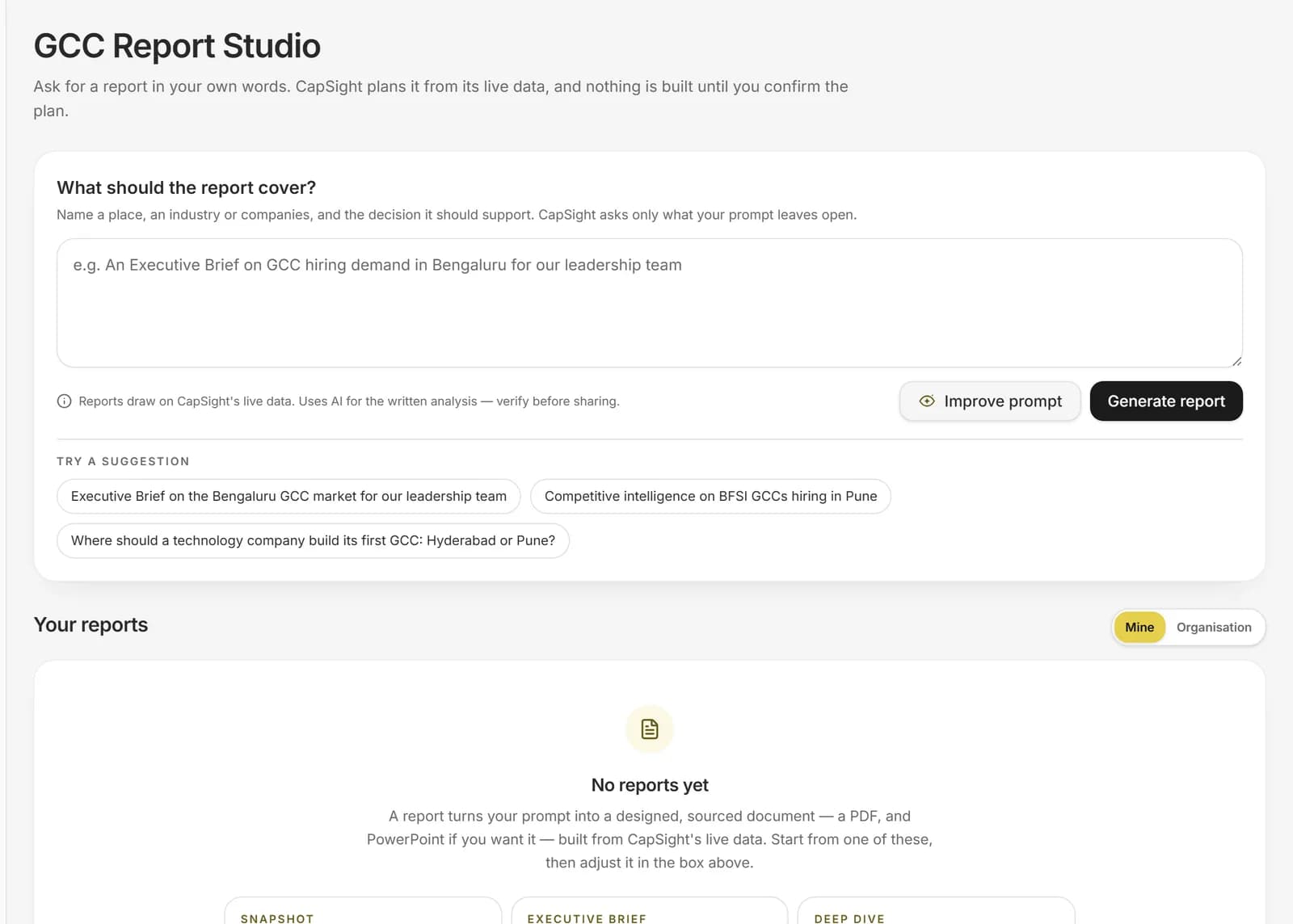
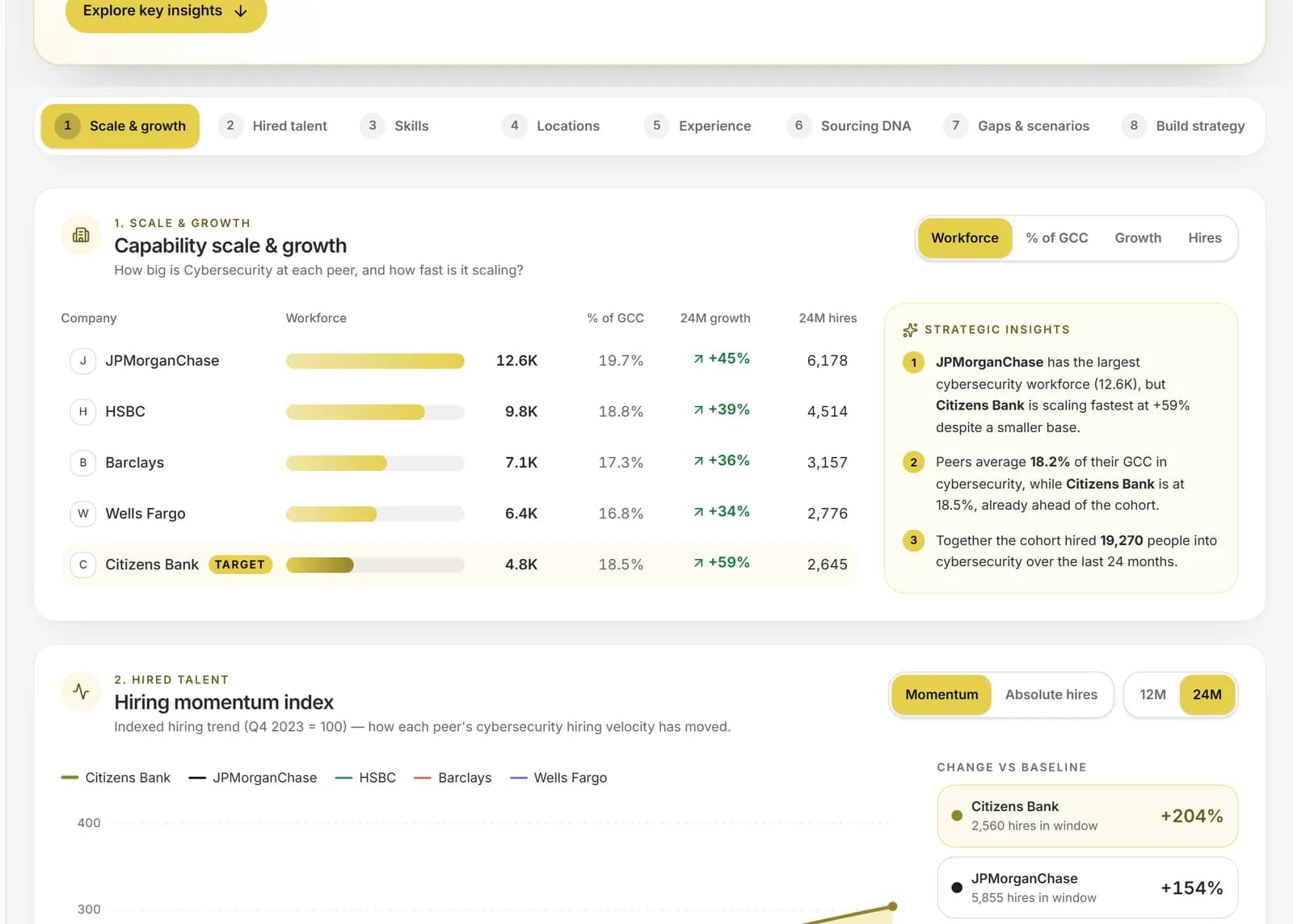
- Start from a sentence, not a template
- Confirm the plan: purpose, depth and scope
- A designed report you can open, download and present
The GCC list this page draws on.
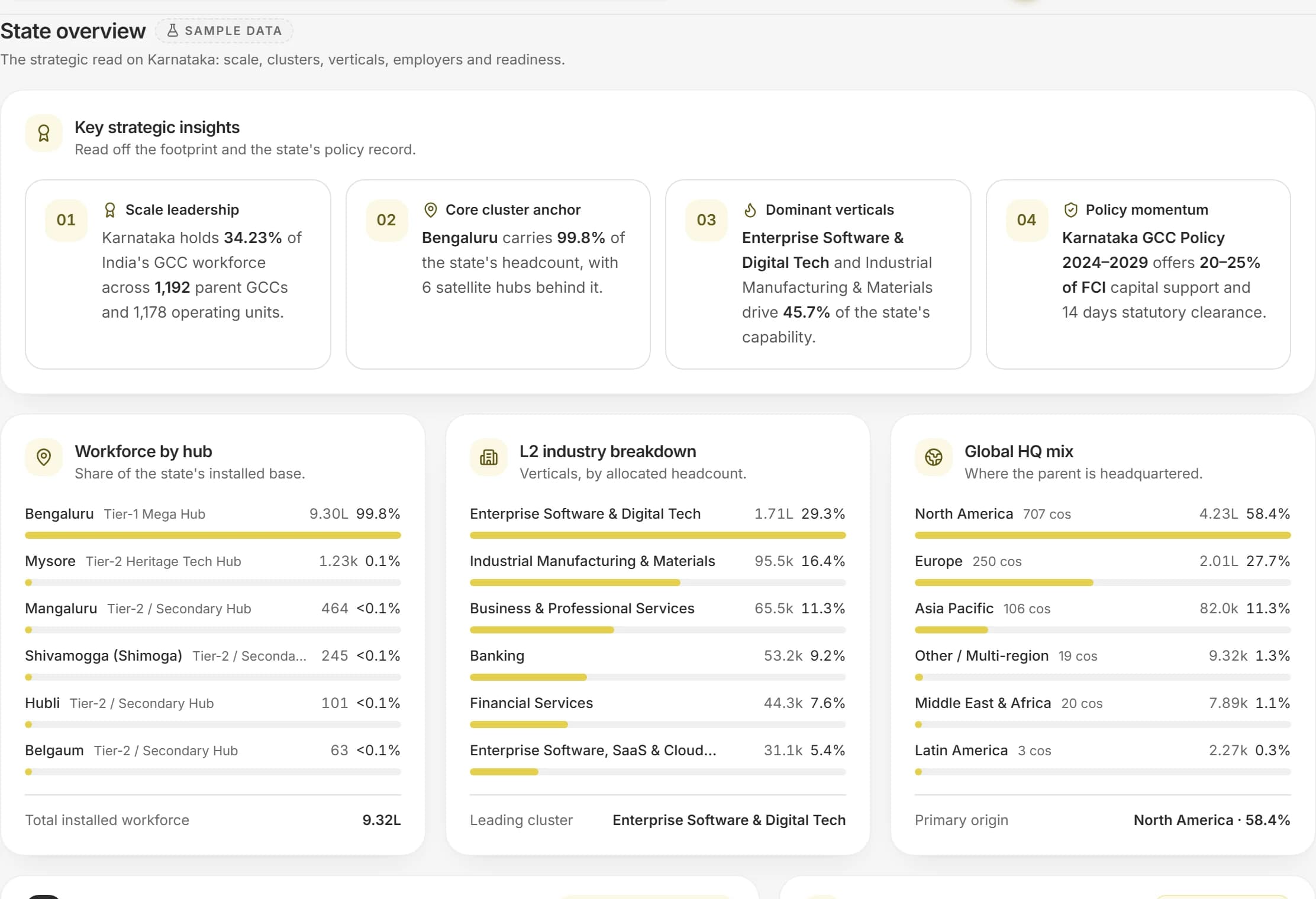 Sample data
The evidence it draws on: a state's workforce, mix and policy.
A screen from the product itself. The counts beside it are read from the platform directory.
- 2,500
- company profiles
- 35
- Indian cities with a centre
- 28
- documented build journeys
- 1,296
- companies with pay benchmarks
2-Minute Report Builder, in four parts.
Each part is something the product does today, with the data it uses named on the page.
A plan before the pages
CapSight reads your prompt into a brief: the purpose, the build-out type, the decisions it should support, the cities, industries and capabilities in scope. You confirm or change each choice before anything is generated.
Depth that fits the need
Choose a one-page snapshot, an executive brief or a full deep dive. Depth sets the page count and what the report costs in credits.
Evidence on every page
Figures come from the market, pay and hiring data in the platform. Pages that lack the evidence are left out rather than filled, and the report lists what it could not cover.
Ready to present
Open the report in the browser, download it as a PDF or as an editable PowerPoint, and share it with the people who decide.

From a sentence to a finished report.
Reports draw on the same evidence as the rest of the platform, so a figure in a report matches the figure on the page it came from, and each one names where it comes from. The report is the last step of a decision, not a separate product.
Request access- 0
- With a recorded setup year
- 0
- GCCs set up since 2021
- 0
- Mega GCCs, over 10,000 people each
- 0.00M
- GCC workforce on the list
From a prompt to a designed report
Each stage is visible, and nothing is generated until you have confirmed the plan.
- Step 1
Prompt
One sentence about the decision and the places or capabilities involved.
- Step 2
Plan
Purpose, depth, scope and decisions, each editable, with several values where several apply.
- Step 3
Evidence
The report is assembled from market, pay and hiring data; thin pages are dropped.
- Step 4
Report
A designed document with a cover, a summary, evidence pages and a closing page.
Ask the question the way you would ask a colleague.
These are the kinds of questions this page is built for. Each one is answered from the data on it, not from a general model of the market.
Where should we open our next engineering centre, and what would it cost to hire there?
How is hiring for data and AI roles concentrated across Bengaluru, Hyderabad and Pune?
What do four-to-eight-year engineers cost in each of our shortlisted cities?
Who are the closest peers to our centre and where are they hiring?
What should leadership know about Chennai before the board meeting?
From first look to a decision you can show.
Write the prompt
Say what you are deciding and where. A sentence is enough.
Confirm the plan
Review the purpose, depth, scope and decisions CapSight proposes, and change any of them.
Generate
Watch the report build, with progress shown, then open it.
Share
Download the PDF or PowerPoint, or improve the prompt and run it again.
Built for the people who own the decision.
Strategy and GCC leaders
A board-ready brief without a research request.
Talent and finance partners
Evidence pages for a plan or a budget.
Consultants and analysts
A fast first draft with the evidence attached.
What is in it, and what is not yet.
We say plainly what the data holds today and what we are still adding, so nothing here is implied.
- Prompt reading into a brief with editable choices
- Snapshot, executive brief and deep-dive depths
- Designed pages with a cover, summary, evidence and closing
- PDF and editable PowerPoint export
- Scheduled refresh of a saved report
- More report types for specific functions
The terms on this page, defined.
Every figure on a CapSight page comes with its definition, so you never have to guess what a number is counting.
- GCC
- A Global Capability Centre: a centre a company runs in India for its own global work, such as engineering, analytics, finance, operations or support. It is part of the company, not an outside vendor.
- Platform Industry
- The one industry grouping CapSight uses for every company, so a filter or a chart means the same thing on every page. There are 10.
- Tier 1 and Tier 2 cities
- Tier 1 is the eight established hubs: Bengaluru, Chennai, Hyderabad, Mumbai, Pune, Delhi NCR, Kolkata and Ahmedabad. Every other city is Tier 2.
- Designed report
- A report laid out as a finished document, with charts and a written read-out, that you can open, download and present, not a table export.
- Company dossier
- One company's profile set out as a report: who it is, how large its India presence is, how it is organised and how it pays.
- Source line
- The note under a figure that says where it comes from, so a number in a report can be traced back to the evidence behind it.
Before you ask.
Does the report invent figures?
No. Pages that cannot be filled from held data are omitted, and the report says what was not covered.
How long does it take?
Reports build in minutes, depending on depth. A deep dive takes longer than a snapshot.
What do reports cost?
Reports use credits that your organisation's admin allocates. Depth sets the cost.
Bring the GCC decision you are working on.
Where to put the next 300 engineers, what a peer pays its architects, who owns the charter you are selling into. Ask it in CapSight, and see the market, the peers and the people behind the answer.
Already on CapSight? Sign in
- 01Request access
We set up your organisation and its admin, who adds the team.
- 02Ask the question you have
Market, peer, pay or people, answered from one dataset.
- 03Walk it through with us
A 30-minute session with the research desk, on your decision.

Capability maturity of five BFSI GCCs in Bengaluru, by function.
Illustrative example